Assalamualaikum, Greetins everyone!
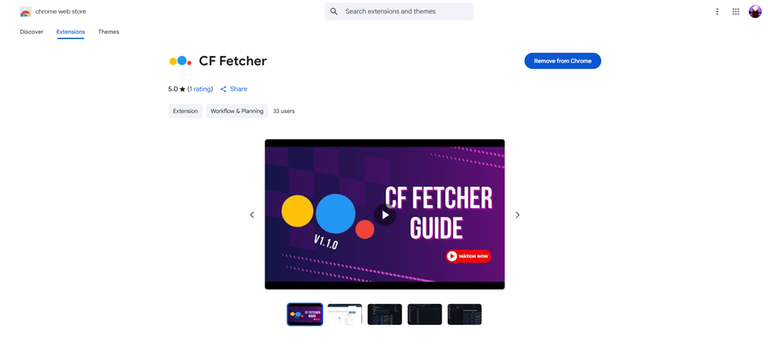
I recently built a Chrome extension called CF Fetcher that helps you keep a clean record of all your accepted Codeforces submissions.
At first, I made it just for myself using Python. But when some friends showed interest, I thought maybe others might find it useful too, so I turned it into a Chrome extension. The idea was inspired by a GitHub tool called Harwest, which hasn’t been working for me for a while, so I decided to build something similar.
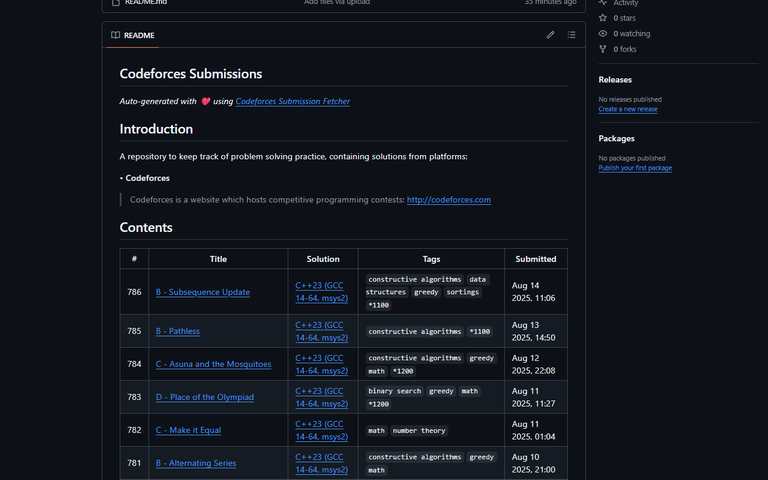
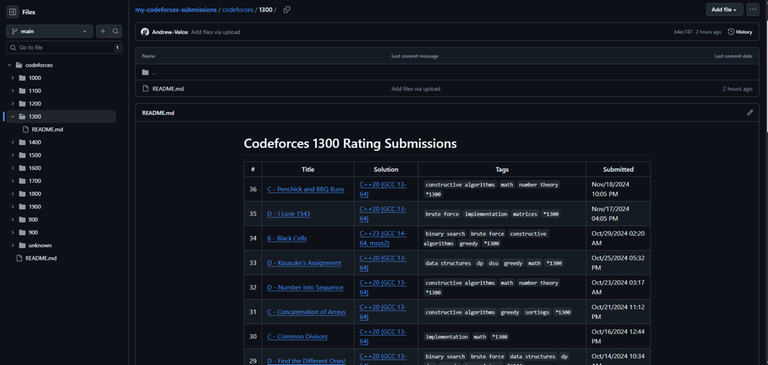
How it works: The extension creates a ZIP file that contains:
- A main README file with all your accepted solutions.
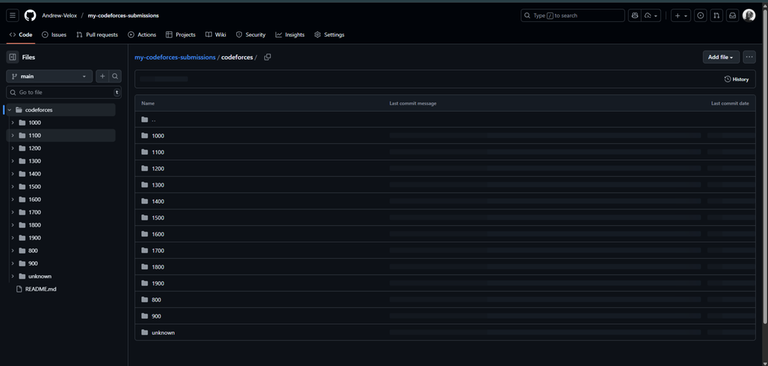
- A Codeforces folder with rating-wise subfolders.
- Each rating folder has its own README showing the problems you solved in that rating.
Usage:
- Get API Keys: Go to Codeforces Settings API and generate your keys.
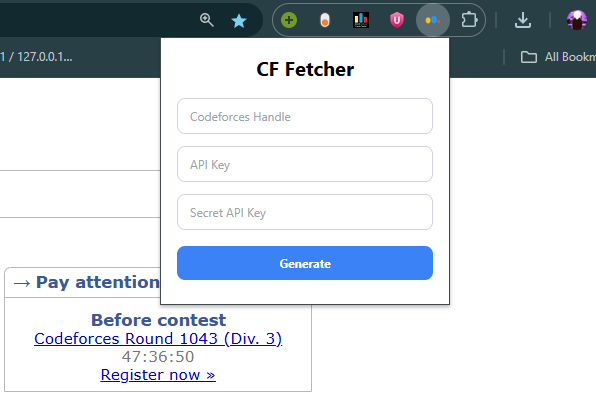
- Open Extension: Click the CF Fetcher icon in your browser.
- Enter Details: Add your handle, API key, and secret key.
- Generate: Click Generate to create your ZIP file.
- Download: The file will download automatically.
- Unzip: Extract the contents of the ZIP file.
- Upload: Upload the extracted files to your GitHub repository.
This way, your progress is more organized and easier to track.
It’s still quite basic. If you notice bugs or have suggestions, please let me know! And if anyone wants to contribute or improve it, that would honestly make me really happy
Chrome Webstore: CF Fetcher
GitHub Repo: Codeforces-Submission-Fetcher-Extension