


I'm writing this as a bug report because I don't know where else to report. I tried sending a message to atcoder_official but I couldn't.
Basically when I go to submit a problem, the language isn't selected as usual. Then I select the language, paste the code and click submit and then it says Error (nothing else). It also doesn't show CAPTCHA as it does usually when submitting out of practice. atcoder_official, please have a look into it. Below are some screenshots too.
Thank you!
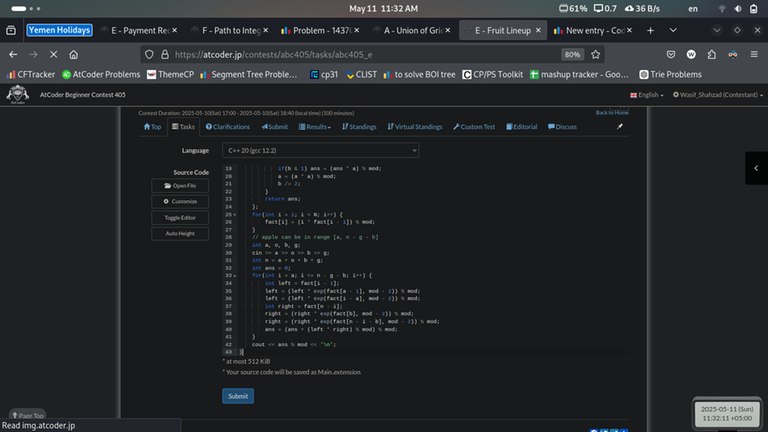
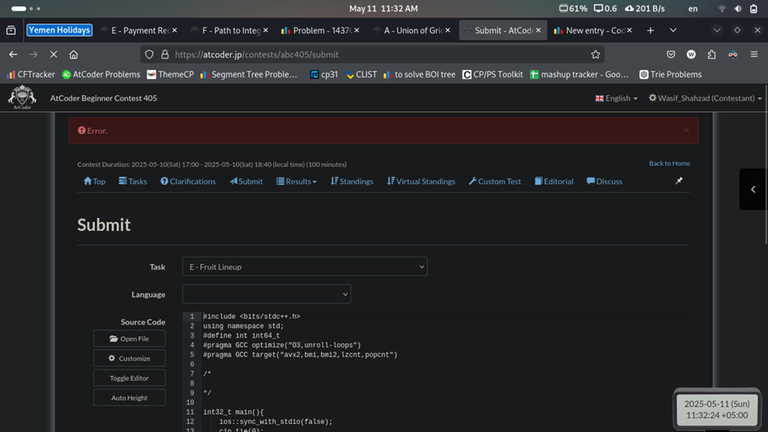


Nowadays sometimes AtCoder requires users to complete the CloudFlare verify before submit, in order to block bot accounts.
It didn't load correctly somehow according to your screenshots. Check your network, try to switch to another connection, and try if you could login CodeForces in an incognito page (because this requires CloudFlare verify as well)
But how did you login if you couldn't access to CloudFlare?
It was already logged in. Incognito didn't work as well as Cloudflare wasn't loading. With vpn, Cloudflare is working. Idk what is happening tbh
The WiFi icon in the top bar is grayed out, and I think that means you have a connectivity problem with WiFi. I suppose you are on Linux (this looks like a Gnome desktop) -- if so you can use usual diagnosing tools like
ping, and maybe you want to check your router, too. If possible you can also try wired network.Wifi is connected.... It isn't greyed out.
I have a Linux laptop, and the WiFi icon in my desktop is fully white. Grayed out WiFi icon should indicate the signal strength to your access point is weak.
Try the following: open Gnome settings, open WiFi tab, select the network you are using and click the gear icon next to your network name, and check the signal strength. It should say "good" or "very good" if you have a good network connection.
nah, its fine. Its due to my theme but my WiFi is fine. I can literally watch Premier League live