


OI Checklist – Two Weeks of New Features!
It’s been about two weeks since I first announced OI Checklist in this blog post. The blog was extremely well received, and I’d like to thank you guys for that!
During these two weeks, I’ve been working on OI Checklist and have added a lot of new features—some functional, some UI/UX, and some smaller tweaks. Here’s a summary of the most important ones:
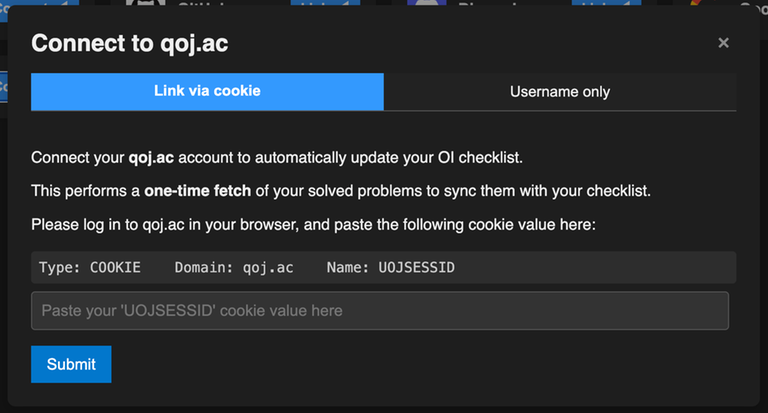
qoj.ac Sync — Fully Supported
Full Checklist
That’s right! You can now sync with both oj.uz and qoj.ac.
 |  |
|---|
The cookie pulls your problem scores and updates your checklist. Your score for a problem is set to the maximum of what it previously was and the score, fully subtask stitched, that you have on qoj.ac.
Virtual Contests
The UI for virtual contests has also been updated. It now tracks submissions across both oj.uz and qoj.ac and takes the maximum score per subtask, even if the submissions are from different platforms!
This means two things:
- You can now autotrack contests where not all problems are on oj.uz.
- You can freely mix submissions between judges.
Update interface when starting a virtual contest:
The blue squares indicate that the problem is available on that judge. In this case, the single black square means Problem 4 isn’t available on oj.uz. For all problems with blue squares, submissions made on any of the listed judges will be tracked.
Improved Post-Contest Statistics
If you choose to autotrack submissions for a contest, you’ll be greeted with two feature-rich graphs:
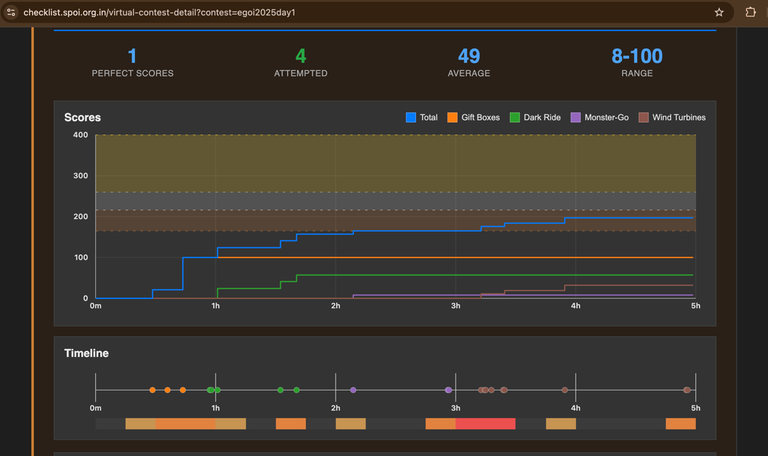
- A problem-by-problem score graph (toggleable per problem).
- A total score graph.
Below that, you’ll also see a submission timeline:

Hovering over a point shows how many points that submission gained you. Submissions from both oj.uz and qoj.ac are merged here.
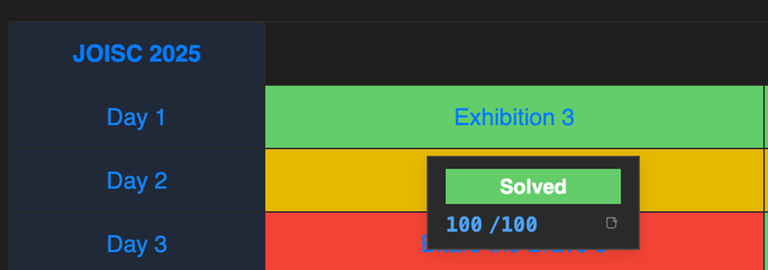
Notes System for Problems
You can now add notes to problems with an editor that supports both Markdown and LaTeX.
 |  |
|---|
Keyboard shortcuts:
- Ctrl/Cmd + B → bold
- Ctrl/Cmd + I → italic
- Ctrl/Cmd + K → hyperlink
- Ctrl/Cmd + E → code block
The rightmost icon opens a preview, rendering your Markdown into a clean, readable format. You can also use Ctrl/Cmd + / to toggle between edit and preview mode.
Platform preference
Reorder platforms (here) to control which source is used for problem links. The list is checked top to bottom, and the first matching source provides the link.
For example, if you prefer qoj.ac over oj.uz, just drag qoj.ac above oj.uz—your main page will now show links from qoj.ac instead of oj.uz.

New Authentication Methods
You can now log in, register, or link your account using Google or Discord.

There's also tons of small changes and new settings that I've added not mentioned here.
Future Changes
Here are some features I plan to add next:
- Codebreaker sync (suggested by am_aadvik)
- On-hover problem statistics, similar to the old checklist (suggested by litvinas)
- A ranklist/users page based on total problems solved or other metrics (suggested by am_aadvik)
- A more advanced /profile page that might include past virtual contests (suggested by me)
I’d also like to thank the two new contributors: mariza_CY and Nika533 for adding problems from IZHO and EJOI (along with contest data). You can do this too—check out the GitHub repository!
Any further suggestions are welcome and encouraged. Thanks for reading: now go register at https://checklist.spoi.org.in/!


