tDear Codeforces Community,
As we bid farewell to an amazing 2025 and welcome the exciting possibilities of 2026, I'm thrilled to announce a significant update to cf-tool that brings a powerful new way to interact with Codeforces from your command line!
What's New?
cf-tool now supports Browser Mode!
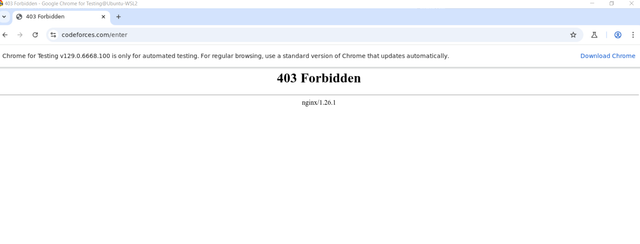
After Cloudflare tightened its protection, traditional command-line tools faced challenges accessing Codeforces. Today, we're proud to introduce a solution that leverages your browser's authenticated session through the power of browser automation.
Key Achievement: Parse & Submit POC Complete
The core functionality is now fully working:
cf parse— Fetch problem test cases with ease- Supports both old (
<br>) and new (<div>) HTML formats - Automatically handles multi-line inputs correctly
- Clean, formatted test case files
cf submit— Submit your code directly from CLI- Automatic problem selection (with case-insensitive support)
- Language selection
- Real-time submission monitoring
- All powered by your browser's authenticated session
How It Works
We've integrated with mcp-chrome, an innovative Chrome extension that exposes the Chrome DevTools Protocol through MCP (Model Context Protocol). This means cf-tool can now: - Bypass Cloudflare protections - Use your existing login session - Perform actions just like you would in a browser - All from the comfort of your terminal!
Quick Start
1. Download mcp-chrome extension
   — Download from GitHub releases: https://github.com/hangwin/mcp-chrome/releases
   — Extract the downloaded file to a folder

2. Install mcp-chrome-bridge

Using npm:
npm install -g @hangwin/mcp-chrome-bridge

Or using pnpm:
pnpm add -g @hangwin/mcp-chrome-bridge

3. Load Chrome Extension
   — Open Chrome and go to chrome://extensions/
   — Enable "Developer mode"
   — Click "Load unpacked" and select your downloaded extension folder
   — Click the extension icon to open the plugin, then click connect to see the MCP configuration

4. Start mcp-chrome-bridge

Run this command:
mcp-chrome-bridge

By default, it runs on http://127.0.0.1:12306/mcp

5. Verify installation

cf mcp-ping  // Should return: MCP Chrome Server is running
cf mocka     // Should open Chrome and navigate to Codeforces

6. Start coding

cf parse 2122d    // Fetch test cases
cf submit         // Submit your solution
Demo
Here's a quick example of the new parse and submit workflow:
$ cf parse 2122d
[INFO ] ✓ Browser mode enabled
[INFO ] Extracted 1 sample(s)
Parsed d with 1 samples.

$ cd cf/contest/2122/d
$ cf gen    # Generate code from template
$ vim d.cpp # Write your solution
$ cf test   # Test locally
[INFO ] All test cases passed!

$ cf submit
[INFO ] Selecting problem: d (converted to: D)
[INFO ] Code submitted successfully via browser
 Submitted
Acknowledgments
This update wouldn't be possible without:
The mcp-chrome project for providing the browser automation bridge
The cf-tool original author (@xalanq) for creating this amazing tool
The Codeforces community for your continued support and feedback
Everyone who contributed, tested, and provided feedback during development
What's Next?
This is a POC (Proof of Concept) release. We've successfully demonstrated that parse and submit work flawlessly. Looking ahead, we're planning:
Fully function support
Automated installation scripts
More comprehensive testing
Additional features based on community feedback
Try It Now!
GitHub Repository: https://github.com/NetWilliam/cf-tool
We invite you to try it out and share your feedback! Whether you're a seasoned cf-tool user or new to command-line competitive programming tools, we'd love to hear from you.
Installation: Check the README for detailed setup instructions
Closing Thoughts
As we step into 2026, let's carry forward the spirit of learning, growing, and building together. Thank you for being part of this wonderful community. Here's to another year of solving problems, writing elegant code, and pushing the boundaries of what's possible!
Happy New Year!
May your code compile on the first try, your solutions pass all test cases, and your ratings reach new heights in 2026!
Best regards, The cf-tool Browser Mode Team 2025-12-31
P.S. Star the repo if you find it useful! Every bit of support helps us keep improving.
P.P.S. Found a bug? Have a suggestion? Please open an issue or submit a PR! We're always looking to improve.
P.P.P.S. Vibe coding is so cool, even this post is vibed~~hahahahaha