


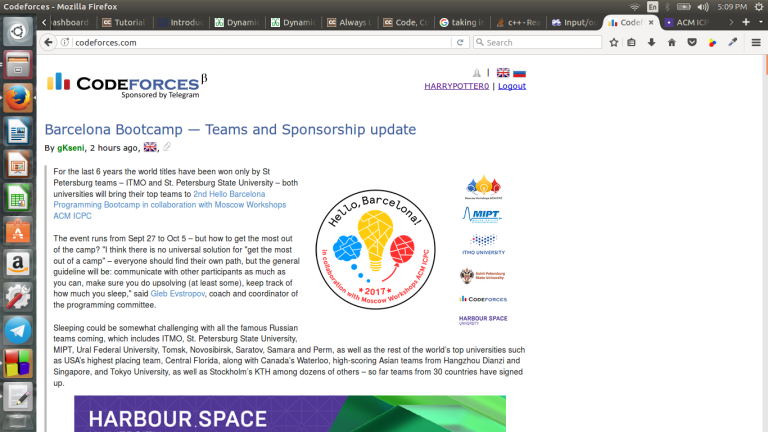
Hello to MikeMirzayanov and company , I have came across this bug in Codeforces website . I am unable to view the website as usual for 2 hours now . This problem is faced not only by me but by some other friends of mine . I am including the screenshots of my screen . Also to make sure that it is not a local problem on my system I have attached other sites screenshots too . Please resolve this matter as soon as possible . Thanks in advance :)
My problem is still not resolved I am unable to participate in contests in Codeforces due to shrinkage in the view UI of Codeforces for me and in my local area too . Please fix this issue ;) I am attaching a screenshot of my screen of Codeforces (I hope the screenshot is uploaded cause it's not shown in my local system ) . IF such problems keep continuing i guess I should move to some other OJ :( 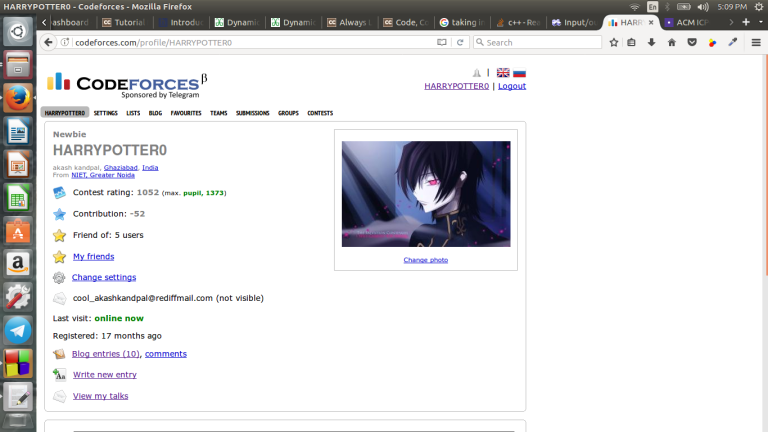


Hello. I cannot see the test i ve failed or runned since friday.
It's a problem that will be fixed, check Mike's comment there http://mirror.codeforces.com/blog/entry/54061#comment-381339
Were you doing a virtual contest? Or practice?
I have the same problem. I was not doing a virtual contest.
Can you post a link to your submission? Or is the problem gone?
I also have the same problem, I cann't see tests, for example, here: http://mirror.codeforces.com/contest/845/submission/29850388
You're right... Strange. Hope someone who can help sees this thread, there's nothing I can do.
A temporary fix to this problem is to simply look at past accepted submissions and scroll until you find the test case you missed. It's a bit of work so hopefully the problem is resolved soon :).
Auto comment: topic has been updated by harrypotter0 (previous revision, new revision, compare).
You still didn't include any screenshots.
I don't know wwhy but codeforces is unable to open properly in Mozilla Firefox
Which Firefox version? Does the same happen on a clean profile (or private mode)? It works fine for me on Firefox on Linux, so it's not a general problem.
I am using 55.0.2 version of Firefox
I have installed that version and it displays fine for me. What about the other question? Did you try a clean profile? (run firefox -p and choose new)
I can't understand "clean profile" ??
You can have multiple "accounts" in Firefox, each of them with separate add-ons, cookies, history etc. Running an empty one will make sure it's not something in your config.
Go to console and run firefox -p. You will get asked which profile you want to use. Choose a new one and check if it works there. (You will be able to access your old profile via firefox -p again)
Go to the bottom of page. click desktop version. [you are currently viewing mobile ui]
This was 3 years ago, but helped me just now. Thank you
and also helped me now in 2025. Thank you!
i fixed it with removing cookies from my browser.
This worked for my friend as well. But would be awesome if someone has idea of why this is happening. Something programmers could learn.
It happened to me and I changed browsers. It worked.